Happy Horse is here, and this launch matters for a simple reason: the product is arriving at a moment when AI video buyers no longer want vague promise language. They want a workflow they can understand, a result they can test, and a reason to believe the model can hold up outside a demo reel.
If you want to test the workflow while you read, Happy Horse is already live.
The strongest reason to pay attention right now is not hype. It is fit. As of April 8, 2026, public leaderboard data puts Happy Horse 1.0 at the top of the no-audio text-to-video and image-to-video rankings on Artificial Analysis. That does not mean the model is automatically the best choice for every team, every budget, or every output style. It does mean the launch starts from a credible signal instead of an empty claim.
That distinction changes how teams should read this product launch. This is not a waitlist story. It is a practical story about how to use a top-ranked model family for real work: demos, launch assets, social clips, ad tests, onboarding videos, and early storyboard passes.
Why This Launch Matters
Most AI video launches sound identical at first. They promise faster creation, better quality, and fewer production bottlenecks. The real question is whether the launch creates a useful decision point for teams that already have too many tools to evaluate.
Happy Horse creates that decision point in four ways:
- It starts from workflows teams already understand: text-to-video and image-to-video.
- It is positioned around short-form production use cases rather than abstract future storytelling.
- The current public benchmark signal is strongest in no-audio categories, which maps well to many launch, social, preview, and ad workflows.
- The product experience already frames clear first-step use cases such as demos, teasers, onboarding clips, and storyboard previews.
That combination makes the launch easier to judge. You do not need to imagine a distant future use case. You can evaluate whether it helps your current content pipeline move faster.
Here is the current public launch snapshot that matters most:
| Area | Current signal on April 8, 2026 | Why it matters |
|---|---|---|
| Text-to-video without audio | Happy Horse 1.0 is #1 with Elo 1357 | Strong starting point for prompt-led concept generation, hooks, scenes, and motion studies |
| Image-to-video without audio | Happy Horse 1.0 is #1 with Elo 1402 | Strong fit for reference-led workflows where composition and identity control matter |
| Release timing | The model appears as a newly added April 2026 leaderboard entrant | Fresh attention usually means fast buyer curiosity and rapid comparison pressure |
| Product framing | The site is built around short-form creation, launch assets, demos, and social outputs | The launch story aligns with practical production needs instead of abstract benchmark talk |
The most useful interpretation is conservative. The no-audio lead is the strongest current reason to test Happy Horse first. Everything else should be judged through output quality, consistency, and fit with your production process.
What Happy Horse Is Best At Right Now
The launch message becomes clearer when you stop asking whether Happy Horse can do everything and start asking where it creates the most immediate leverage.
1. Fast Concept-To-Clip Iteration
Happy Horse makes the most sense when the first job is speed. Teams often need to move from idea to visible motion in a single working session. That is common in:
- product launch planning
- paid creative testing
- short social campaign development
- internal concept validation
- rough storyboard exploration
In those situations, perfection is not the first target. Velocity is. A model that can create a usable first pass quickly changes how many ideas a team is willing to test.
2. Reference-Led Video Generation
The current no-audio image-to-video lead is especially important because image-led workflows solve a very practical problem: creative control. Text prompts are good for exploration. Reference images are better when the team already knows what the subject, composition, product frame, or character should look like.
That matters for:
- product visuals that need brand consistency
- launch teasers built around one hero frame
- ads that need repeated subject identity
- onboarding sequences that need a stable screen or visual anchor
- concept previews where camera behavior matters more than visual invention
3. Short-Form Production Work
The site itself points toward short, high-utility video jobs rather than long-form narrative replacement. That is the right launch lane. Short-form work benefits the most from a model that is good enough to create multiple directions quickly:
- one teaser can become three hook variants
- one product demo concept can become multiple pacing options
- one onboarding explanation can become a tighter cut for activation
- one social idea can become platform-specific variations
This is where launch energy turns into workflow value.
4. Pre-Production Decision Support
Happy Horse also fits teams that do not want the AI output to be the final deliverable every time. Sometimes the best role for AI video is decision support. It helps a team preview:
- which scene direction feels strongest
- whether a concept has enough tension
- whether the framing supports the message
- whether a pitch idea deserves a full production budget
That role is underrated. A strong preview loop often saves more time than a polished final render.
Text-to-Video or Image-to-Video: Start With the Right Mode
The fastest way to waste a strong model is to start with the wrong input mode. Teams often use text-to-video when they actually need control, or they use image-to-video when they actually need exploration.
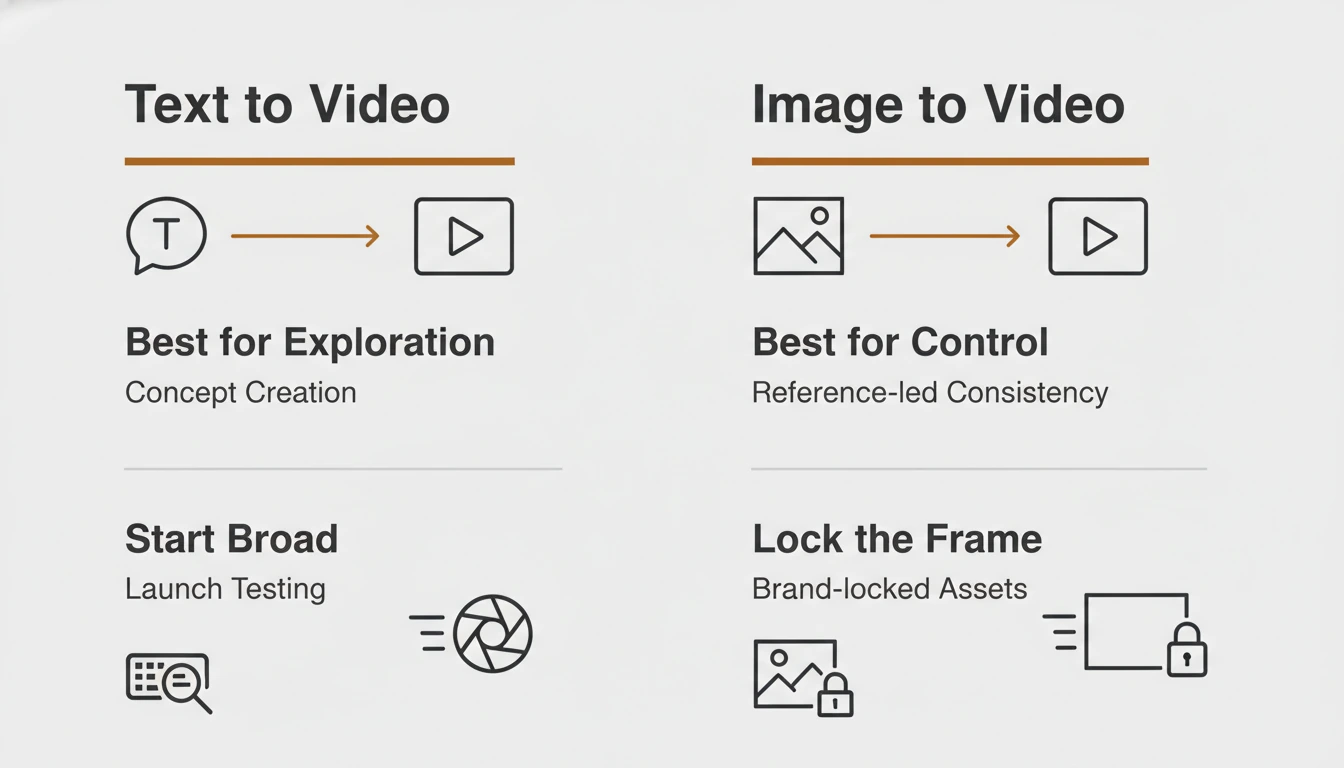
Use this decision framework instead:
| If your goal is... | Start with... | Reason |
|---|---|---|
| Explore a fresh concept from scratch | Text-to-video | You need idea expansion more than strict control |
| Lock the subject, product frame, or visual identity | Image-to-video | A reference image gives the model a stronger visual anchor |
| Test multiple launch angles quickly | Text-to-video first, then image-to-video | Start broad, then narrow the winning direction |
| Turn a strong still into a motion asset | Image-to-video | The still already carries the composition you want |
| Create a teaser for an existing campaign frame | Image-to-video | Consistency usually matters more than novelty |
| Build a storyboard preview for an unfinished concept | Text-to-video | You need fast directional exploration before committing visuals |
This is the simplest rule:
- Start with text-to-video when you are still deciding what the scene should be.
- Start with image-to-video when you already know what the scene should look like.
- Move from text-led exploration to image-led control once you find a promising direction.
Teams that follow this sequence usually get better results faster because they are not trying to solve exploration and control in one step.
A Practical First-Week Workflow for Teams
Launch articles are usually most useful when they tell the reader what to do next. If a team starts using Happy Horse this week, the best path is not “try everything.” The best path is a narrow loop that proves whether the product deserves a bigger place in the stack.
Step 1: Pick One Output Family
Choose one practical output family before you generate anything:
- launch teaser
- product demo clip
- paid ad concept
- onboarding walkthrough
- storyboard preview
This keeps the first evaluation honest. The team is not asking whether Happy Horse is generically impressive. The team is asking whether it solves one real job better or faster than the current method.
Step 2: Define Success Before Prompting
Set the quality bar first. Decide what would count as a usable first win:
- a teaser with a strong first three seconds
- a demo clip that explains one flow clearly
- a social variation worth posting
- an onboarding cut that reduces explanation time
- a storyboard pass that helps a client approve direction
Without this step, teams confuse “interesting output” with “useful output.”
Step 3: Run Two Parallel Inputs
Do not test only one prompt path. Run:
- one text-to-video pass for concept breadth
- one image-to-video pass for control
This shows which side of the workflow is stronger for your specific use case. Many teams learn more from the gap between those outputs than from the best single output.
Step 4: Tighten One Winning Direction
Once one result looks promising, do not keep exploring endlessly. Tighten one direction:
- clarify subject and motion
- reduce extra scene noise
- simplify the camera idea
- make the pacing more legible
- keep the prompt focused on one visual intention
The first week is about signal, not volume. A small number of disciplined refinements tells you more than dozens of scattered attempts.
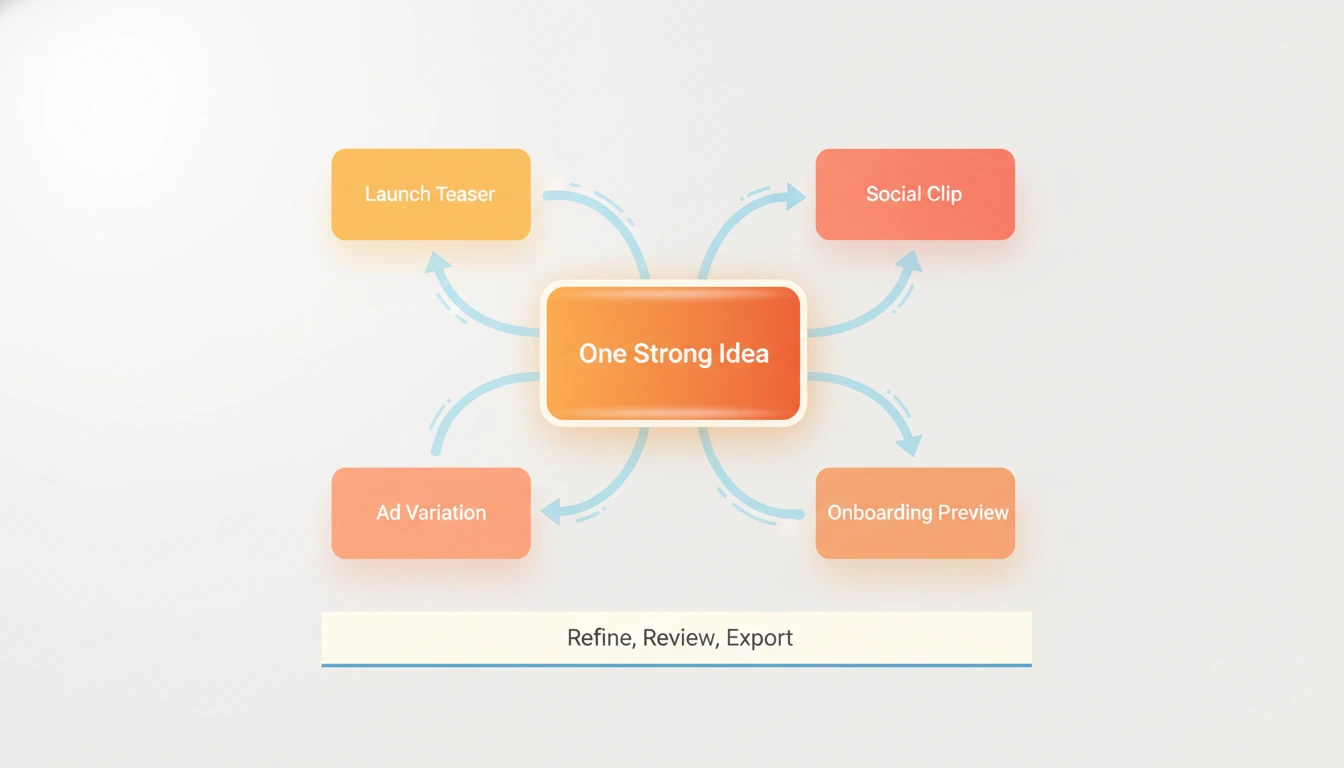
Step 5: Turn One Output Into Multiple Assets
The launch becomes operationally valuable when one result expands into multiple deliverables. One strong direction can feed:
- a landing page teaser
- a launch post clip
- an ad variant
- a founder update visual
- a storyboard reference for the next shoot
That multiplication effect is the real reason to test a launch like this.
Where Happy Horse Fits in Real Video Work
The launch makes more sense when tied to specific jobs rather than broad claims.
Product Demos
Happy Horse fits product demos when the team needs short visual explanation rather than a polished full tutorial. A quick motion layer around a product idea can make a launch page or sales deck feel more alive before a more expensive production exists.
Launch Teasers
This is one of the clearest early fits. Launch teasers need tension, motion, and speed. They also need multiple creative directions in a short window. Happy Horse matches that production pattern well.
Social Clips
Social workflows reward variation. Teams rarely win with a single perfect clip. They win by testing multiple openings, visual rhythms, and framing ideas. Happy Horse is useful when that iteration speed matters more than one heavily polished master asset.
Ads
Ads are a filtering system. The first job is not perfection. The first job is learning which creative angle earns attention. Happy Horse helps when a team wants to test:
- different hooks
- different motion intensity
- different visual metaphors
- different scene pacing
- different product framing
Onboarding
Onboarding videos do not need cinematic excess. They need clarity. A short visual explanation that shows what to do first can reduce friction quickly. Happy Horse works here when the team keeps the goal narrow and avoids unnecessary visual complexity.
Storyboard Previews
This is the quiet power move. Many teams will get the most value from Happy Horse before final production, not after it. A strong storyboard preview helps align product, marketing, design, and client expectations before bigger resources are committed.
What This Launch Does Not Solve Yet
A credible launch article should say what the product does not solve, because that boundary is part of the buying decision.
Happy Horse does not remove the need for:
- strong prompt judgment
- creative direction
- edit selection
- narrative pacing decisions
- brand review
- final production quality control
It also should not be treated as a universal answer for every video format. The current public proof is strongest in the no-audio leaderboard position. That is enough to justify testing. It is not enough to justify lazy decision-making.
This is the better mindset:
- Use Happy Horse to increase creative throughput.
- Use human judgment to decide what is worth publishing.
- Use image-led control when consistency matters.
- Use text-led generation when exploration matters.
That framing keeps expectations sharp and useful.
How to Get Better Results on Day One
The fastest results usually come from better problem framing, not longer prompts.
Here is a strong day-one checklist:
- Write one clear visual goal before you write the prompt.
- Keep each prompt focused on one scene intention.
- Use image-to-video when subject identity or brand framing matters.
- Review outputs for message clarity, not just visual novelty.
- Save the strongest frame or output and use it as the basis for the next controlled pass.
- Judge the model by repeatable workflow value, not one lucky render.
These habits matter because launch excitement often creates sloppy testing. The teams that get the best value from a new model usually test with more discipline, not more enthusiasm.
FAQ
Is Happy Horse just another benchmark story?
No. The benchmark lead is the reason to test it, not the reason to trust it blindly. The real decision still depends on whether it improves your own workflow for demos, launches, ads, onboarding, or previews.
Why does the no-audio lead matter so much?
Many practical short-form workflows do not need audio to prove value. Teams often decide on concept, motion, framing, and pacing before they worry about sound. A strong no-audio result is enough to unlock those jobs.
Should teams switch completely on day one?
No. The better move is to run a narrow test. Pick one workflow, compare outputs, and decide whether Happy Horse earns a larger role.
What is the best first use case?
Launch teasers and visual concept tests are usually the cleanest starting points because the success criteria are easy to judge and the speed advantage shows up quickly.
When should I avoid using text-to-video first?
Avoid it when the exact subject, product frame, or visual identity already matters more than exploration. In that case, image-to-video is usually the better starting path.
What makes this launch interesting for marketers?
It shortens the path from idea to testable motion asset. That matters for launch campaigns, paid creative iteration, and social content pipelines where speed is part of the strategy.
Final Take
Happy Horse is here at the right moment. Teams are no longer looking for a magical AI video promise. They are looking for a workflow that can help them test more ideas, decide faster, and ship better short-form video assets without turning every experiment into a full production cycle.
That is why this launch is worth paying attention to. The current public signal is strong, the product framing matches real short-form work, and the clearest value sits in workflows where speed, variation, and controlled visual iteration matter most.
The best way to judge the launch is simple: pick one real video job, test both input modes, tighten one winning direction, and see if the workflow earns a permanent place in the stack.